
Requirements: 1. Your own domain name
0. Install Certbot
In order to use a free SSL certificate using LetsDecrypt, it requires installation of certbot module. For this, go to the server's command shell and run the following command;
apt install certbot -y
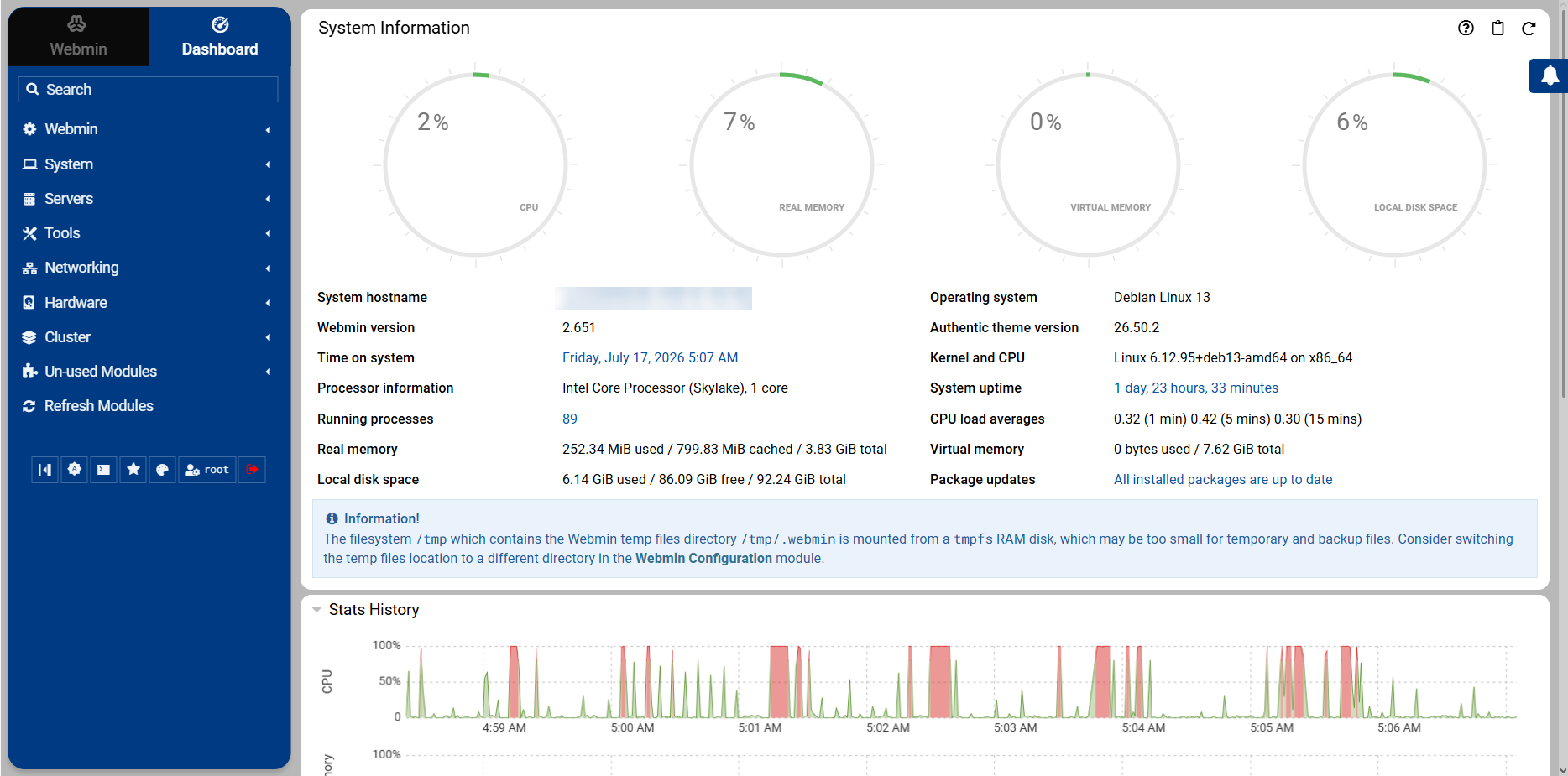
1. Open Webmin Dashboard
After installing webmin, open the dashboard using the link 'https://your-server-ip:10000' and log in using your server username and password.
2. Open SSL Settings
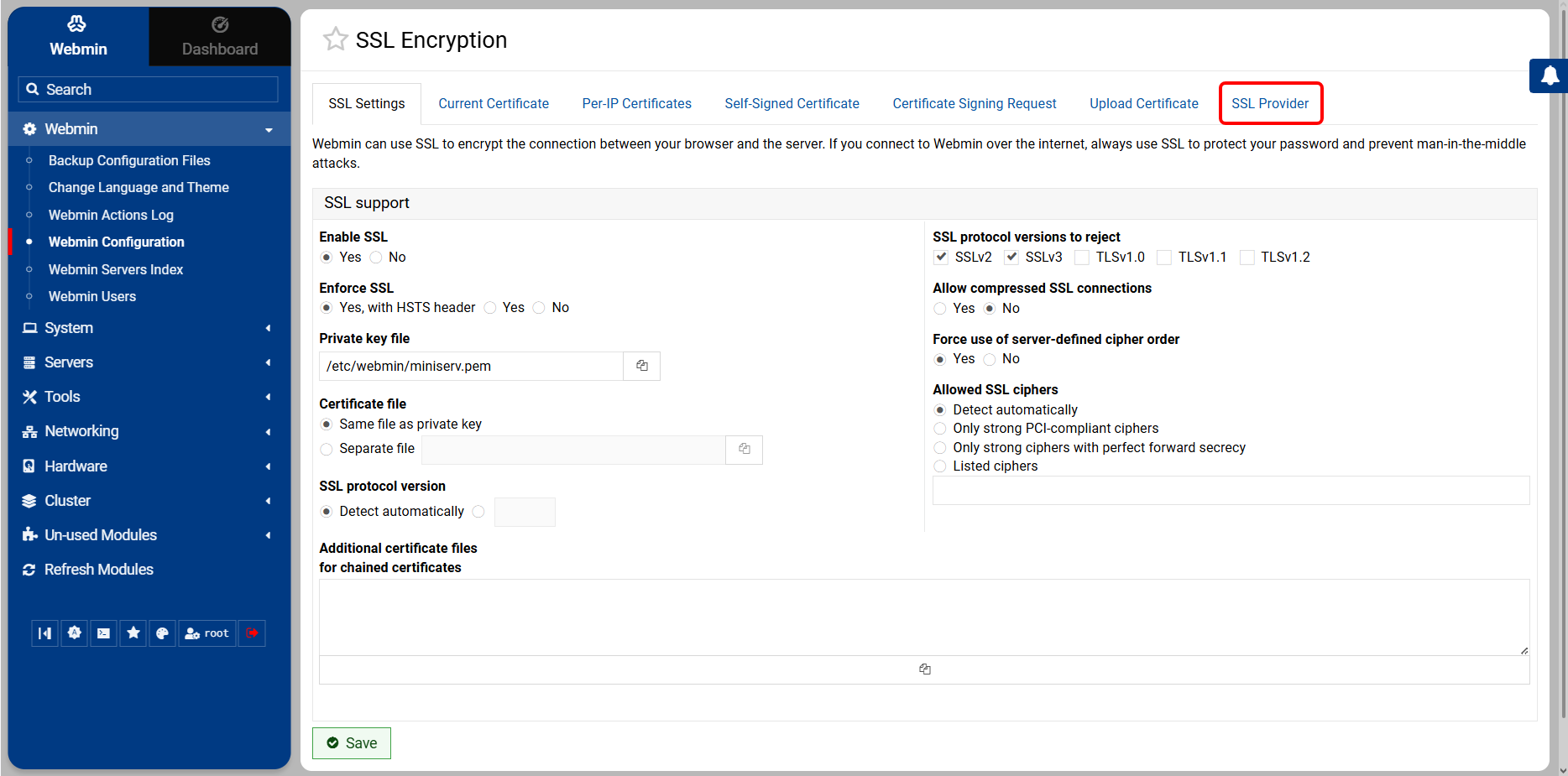
In the left hand menu, open Webmin > Webmin Configuration > SSL Encryption and open the SSL Provider tab.
3. Set Hostname
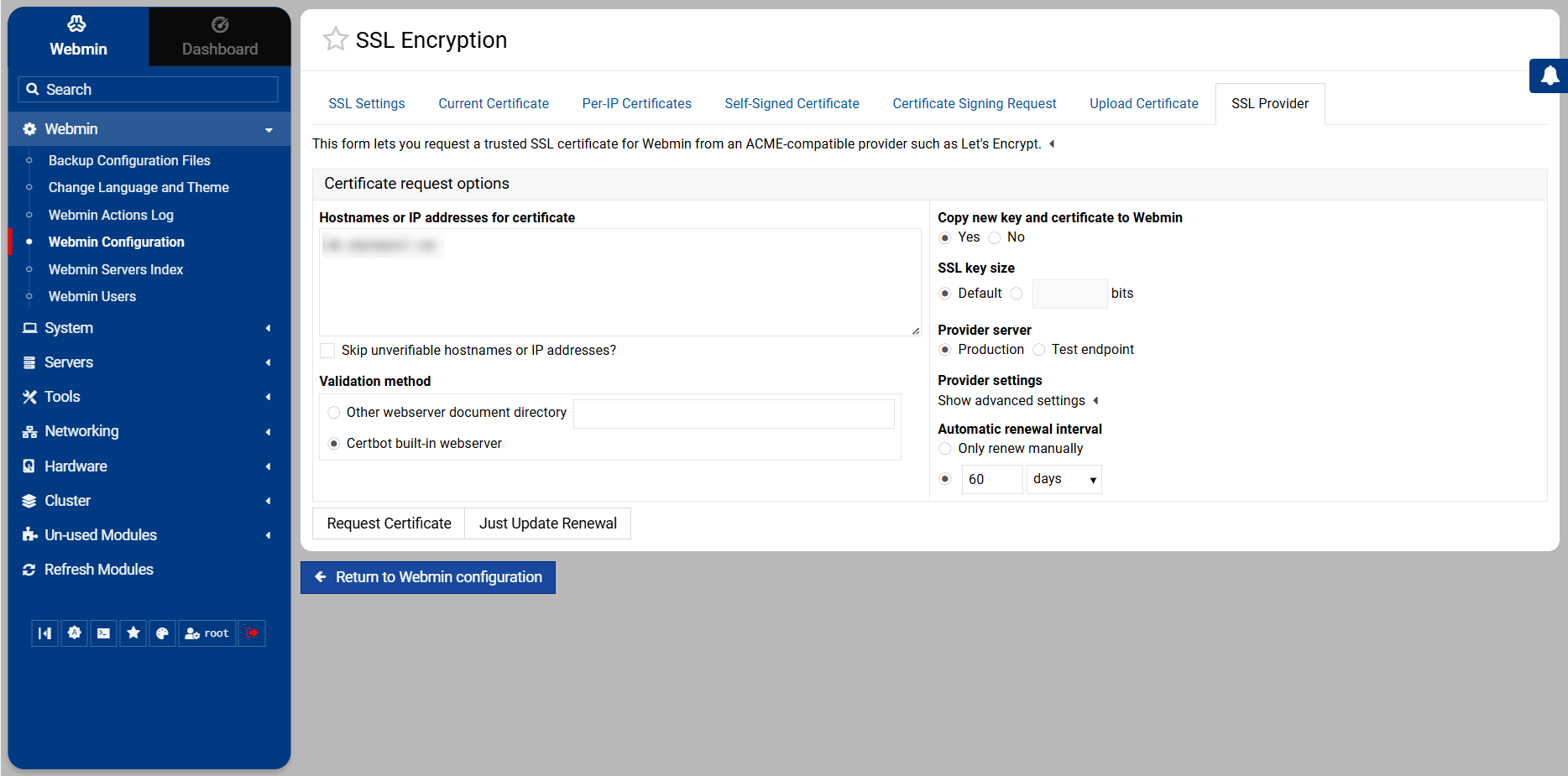
Enter your hostname and validation method (if not using certbot). You can also set Automatic renewal interval and set it to 60 days to ensure your certificate renews automatically.
4. Request Certificate
After entering your SSL information, click request certificate and wait a few seconds to complete the procedure.
Now your Webmin panel is SSL certified and can be accessed using the link 'your-domain-name.extension:10000'.